awesome-seedance
What they did
A Seedance 2.x prompt library that traces cases to their original posts and publishes cross-model retest verdicts.
How it went
The repo says it has 600+ cases traced to original posts and 260+ cross-model retest runs with public verdicts.
Worth knowing
- Price: Open source (MIT)
- License: MIT
- Status: sourced. We have not run this ourselves yet (no "Tested" badge).
- Quality bar (computed by code): 4/5 (primary source ✓, reproducible ✓, new ✓, example output ✗, safe ✓)
Related
 ▶ YouTube demo
Director-style AI ad with Seedance 2.5 and Claude prompts (Higgsfield)
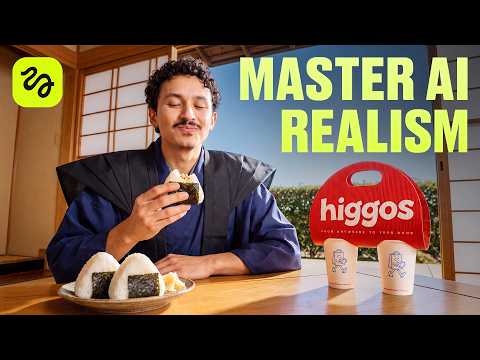
Higgsfield walks through a full commercial build: characters and locations made in Soul Cinema, assets refined in Seedream 5 Pro, shot prompts written with Claude, then animated with Seedance 2.5 in Higgsfield Cinema Studio. The video description links the full prompt and asset pack.
 ▶ YouTube demo
One take, three camera angles with Seedance 2.5 (Higgsfield)
Turns a single static take into high, low and Dutch-angle versions: draft the prompt with ChatGPT, then run the shot through Seedance 2.5 in Higgsfield. The same method can also swap location, lighting and character.
 ▶ YouTube demo
Seamless over-the-top AI video intros, full workflow (MattVidPro)
MattVidPro shows his whole process for AI intros that blend into real footage. His intro prompt and Seedance 2.5 prompting guide are public on GitHub. Note: the video is sponsored by Runway.
 ▶ YouTube demo
Low-VRAM character swap with MiniMax H3 in ComfyUI (no masking)
A ComfyUI workflow that swaps a character in a video using MiniMax H3 plus a Character Swap LoRA, with no masking. It renders at about 0.4–0.5 MP in 8 steps and then upscales to 1.2 MP with the H3 latent upscaler. The creator tested it on an RTX 3060 6 GB with 16 GB RAM: about 20 minutes to generate and 21 to upscale. You build a character sheet first (Qwen Image 2.1, FLUX Krea or H3). Workflow and tutorial are linked from the post.
 ▶ demo at source
Hailuo 2.3 Pro on fal
MiniMax Hailuo 2.3 Pro image-to-video on fal at 1080p, billed at a flat price per generation.
 ▶ demo at source
Replicate video collection
Replicate's curated collection of text-to-video models you can run by API, an alternative host to fal.