Seamless over-the-top AI video intros, full workflow (MattVidPro)
 ▶ Play demoYouTube · loads on click
What they did
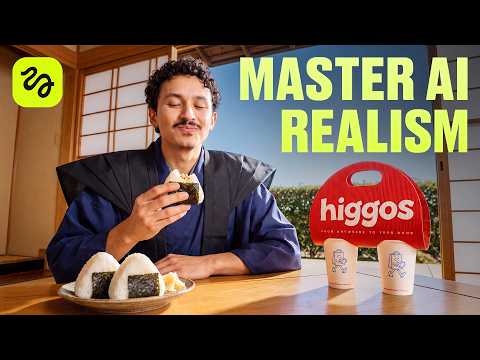
MattVidPro shows his whole process for AI intros that blend into real footage. His intro prompt and Seedance 2.5 prompting guide are public on GitHub. Note: the video is sponsored by Runway.
Worth knowing
- Price: unknown
- Status: sourced. We have not run this ourselves yet (no "Tested" badge).
- Quality bar (computed by code): 5/5 (primary source ✓, reproducible ✓, new ✓, example output ✓, safe ✓)
Related
 ▶ YouTube demo
Director-style AI ad with Seedance 2.5 and Claude prompts (Higgsfield)
Higgsfield walks through a full commercial build: characters and locations made in Soul Cinema, assets refined in Seedream 5 Pro, shot prompts written with Claude, then animated with Seedance 2.5 in Higgsfield Cinema Studio. The video description links the full prompt and asset pack.
 ▶ YouTube demo
One take, three camera angles with Seedance 2.5 (Higgsfield)
Turns a single static take into high, low and Dutch-angle versions: draft the prompt with ChatGPT, then run the shot through Seedance 2.5 in Higgsfield. The same method can also swap location, lighting and character.
 ▶ YouTube demo
Ways to waste fewer credits on AI video generations (Curious Refuge)
Curious Refuge shares the process it uses to avoid paying for bad generations on an AI film: set up checks before committing to full-cost renders. A full written breakdown is on their blog.
 ▶ YouTube demo
Build an ad studio app with Runway Dev and a coding agent
Runway's walkthrough for turning one product photo into a social campaign: start from the Runway Dev quickstart, describe the app to a coding agent, and it generates campaign images, translated on-image copy, and product and UGC videos. A Draft mode keeps iteration cheap and a Final mode switches to top quality.
 ▶ example at source
Runway Changelog
Runway's running log of releases. It's the quickest way to see which models, clip lengths and features are new.
 ▶ demo on X
Runway API docs
Developer docs for Runway's API: auth, endpoints and model options for building video generation into your own product.