How to keep a character consistent across AI video shots
Use each model's reference mode, give every reference image one job, and lock the wording. Here is how it works on Seedance, Kling and Veo, with sources.
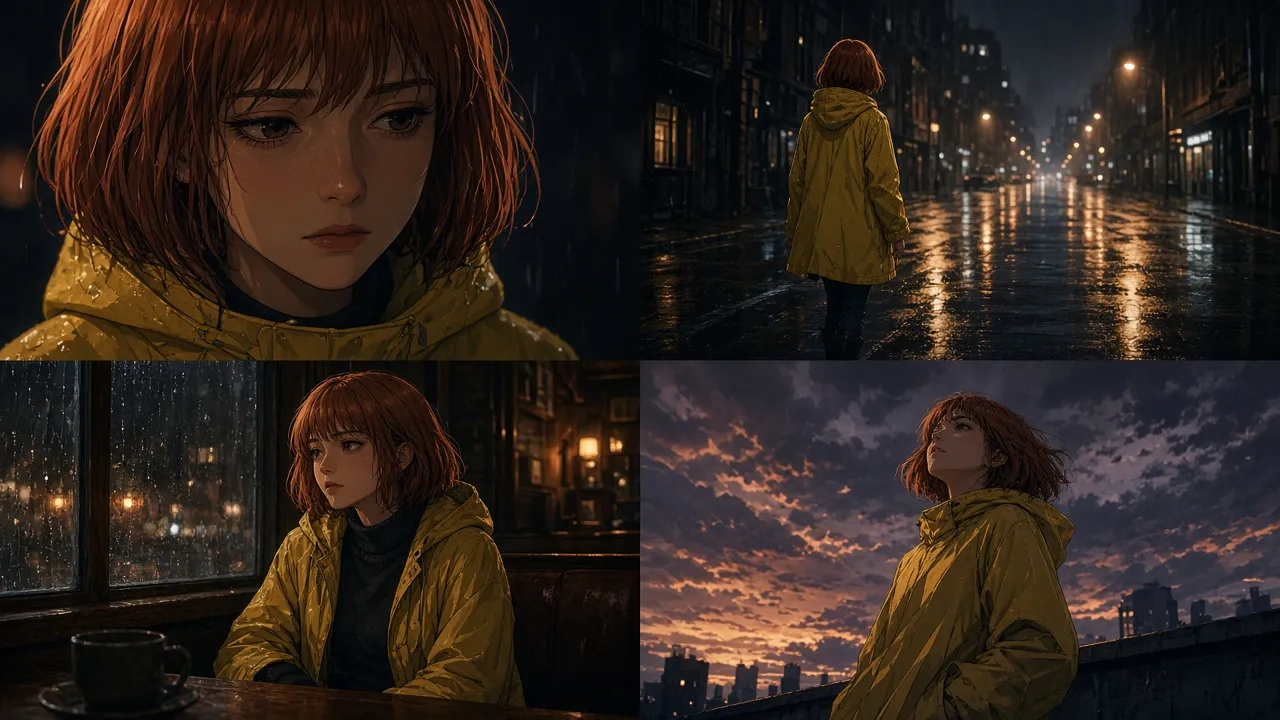
Your character's face changes between shots. A jacket turns into a coat, or the hair color drifts by the third clip. This is the most common complaint in AI video, and the vendors' own docs largely agree on the fix: stop re-describing the person, and use the model's reference mode instead. This guide brings together what the official docs and credited creators say, model by model. Every claim links its source, and the dates show when we last checked them.
The short version
- Make the references first. Google's own workflow generates the character and setting images with an image model (Gemini 2.5 Flash Image) before it ever calls Veo. (Google Cloud)
- Use reference-to-video, not text-to-video. Veo calls it "ingredients to video", Kling uses Elements, Seedance uses reference images, Wan numbers them "Image 1", and Grok Imagine uses
reference_images. - Give every reference one job. Say what to take from each image, such as the face from one, the outfit from another, and the camera move from a video.
- Describe the character once, in fixed words, and reuse exactly those words in every shot. (fal Kling 3.0 guide)
- Chain shots by using the last frame of one clip as the first frame of the next, then trim the duplicate frame in the edit. (Runway prompting guide)
What you need
- A clean headshot (neutral expression, minimal background) and a full-body image of the character, plus product or prop images if they matter.
- A model with a reference mode. The cheapest supported options and their per-second prices are in our price tracker. Reference mode isn't on every tier; for example, Veo 3.1 Lite doesn't accept reference images (Google).
Seedance: headshot plus full body, bound in the prompt
ByteDance's Seedance 2.0 guide recommends one headshot plus one full-body photo per character. It warns against multi-view character sheets: the model "may read angles as different people," and identity drift gets worse. (BytePlus Seedance 2.0 prompt guide)
Bind the subject to its asset every time it appears, for example "the woman in a red dress in Image 1", or define her once as "Subject 1". On fal you refer to uploads as @Image1, @Video1 and @Audio1. You can use up to 9 images, 3 videos and 3 audio files (12 files total). (fal Seedance 2.0 API)
The most useful creator technique is to split identity across two references and assign them in the first line. @ZentrixHQ argues that one image has to carry the face, the outfit and the props at once, and "something starts to drift by the third shot." Their fix:
Use image 1 for her full body, dress and broom. Use image 2 for her face, eyes and hair.
Repeat the outfit wording verbatim and end with "Preserve her face, hair, outfit and broom throughout." The open-source seedance2-skill makes the same point in general form: never write just "reference @Video1". Say what to take from it, whether that's camera, action, effects or rhythm.
For two characters, @aimikoda names each reference and its role up front: "Animate @[char1 ref] as Neri, 24, and @[char2 ref] as her father Daro, 58. Preserve each reference's face, hair, outfit and proportions."
A practitioner counterpoint. An experienced creator reports that a single multi-view face sheet, meaning one image with several angles of the same face, has worked well for them on Seedance. That contradicts ByteDance's advice. We treat it as an alternative to test against the official headshot-plus-full-body setup, not as the default. It's a practitioner report, not a published test.
Two Seedance cautions from the same guide: don't mix first/last-frame roles with reference assets (SeedRouter docs), and on-screen text and subtitles can't be suppressed 100%.
Kling: Elements
On Kling 3.0 / O3 you register characters as Elements, each made from a frontal image plus reference images (or a video). You then call them @Element1, @Element2 in the prompt; extra style or appearance images are @Image1, @Image2. When you use a video, the limit is 4 inputs in total (elements plus reference images). (fal Kling O3 reference-to-video) fal's own example is as plain as it gets: "@Element1 and @Element2 enters the scene from two sides."
Higgsfield's Kling docs give the same advice: add characters as Elements to lock identity, then chain scenes with the final frame as the next start frame. (Higgsfield help)
The fal Kling 3.0 guide adds the wording rule: define core subjects at the start and keep their descriptions identical across shots. It also notes that longer durations risk drift (fal skill notes). Clips run 3–15 s on fal. For a credited example of a sheet-locked Kling fashion film, see @tokyo_Valentine. Their prompt makes the attached character sheet "the ONLY appearance reference".
Veo: up to three reference images, described in prose
Veo 3.1 accepts up to three reference images, each with referenceType: "asset". Using them requires an 8-second clip, and Veo 3.1 Lite doesn't support them. (Gemini API Veo docs) Unlike Seedance and Kling, Veo has no tag syntax. Google's example passes a dress, sunglasses and a woman as references and then simply describes them in the prompt in ordinary prose.
For multi-shot clips, Google's guide uses timestamp prompting ([00:00-00:02] … [00:02-00:04] …). It also recommends phrasing exclusions positively ("a desolate landscape with no buildings or roads"). (Google Cloud Veo 3.1 guide)
Wan and Grok Imagine, briefly
- Wan numbers uploads by type and order ("Image 1", "Video 1") and reads phrasing like "the cat in Image 1 plays in the room in Image 2". (Alibaba Cloud Model Studio)
- Grok Imagine Video 1.5 uses positional tags (
<IMAGE_0>,<IMAGE_1>) and accepts up to 14 images, up to 15 s at 720p. xAI's own advice: give each reference a single role and a fixed place, keep the cast small and props static. (xAI docs)
A template that works across models
[Reference bindings] Image 1 = <name>'s face, eyes and hair. Image 2 = <name>'s full body and <outfit, exact words>.
[Action] <name> <one clear action, with speed and range>.
[Scene] <place, light>.
[Camera] <one move>.
[Lock] Preserve <name>'s face, hair and <outfit, exact words> throughout.
Swap the binding syntax per model: @Image1 on Seedance (fal), @Element1 on Kling, prose descriptions on Veo, Image 1 on Wan, <IMAGE_0> on Grok Imagine.
Do it with your agent
Connect Atlas to your agent and ask it to plan the video. plan_shots adds a shared character reference sheet when shots must match, marks it needs-generation or user-supplied, and stops for your approval before any video is generated. Per-mode details are in the reference-to-video guides for Seedance, Kling and Veo.
Spotted something out of date or uncredited? Tell us and we'll fix it.